Speech & dictation
Speech in MyRA is two models, not an endpoint — one that hears you, one that speaks — both chosen from a list under Settings → Audio.
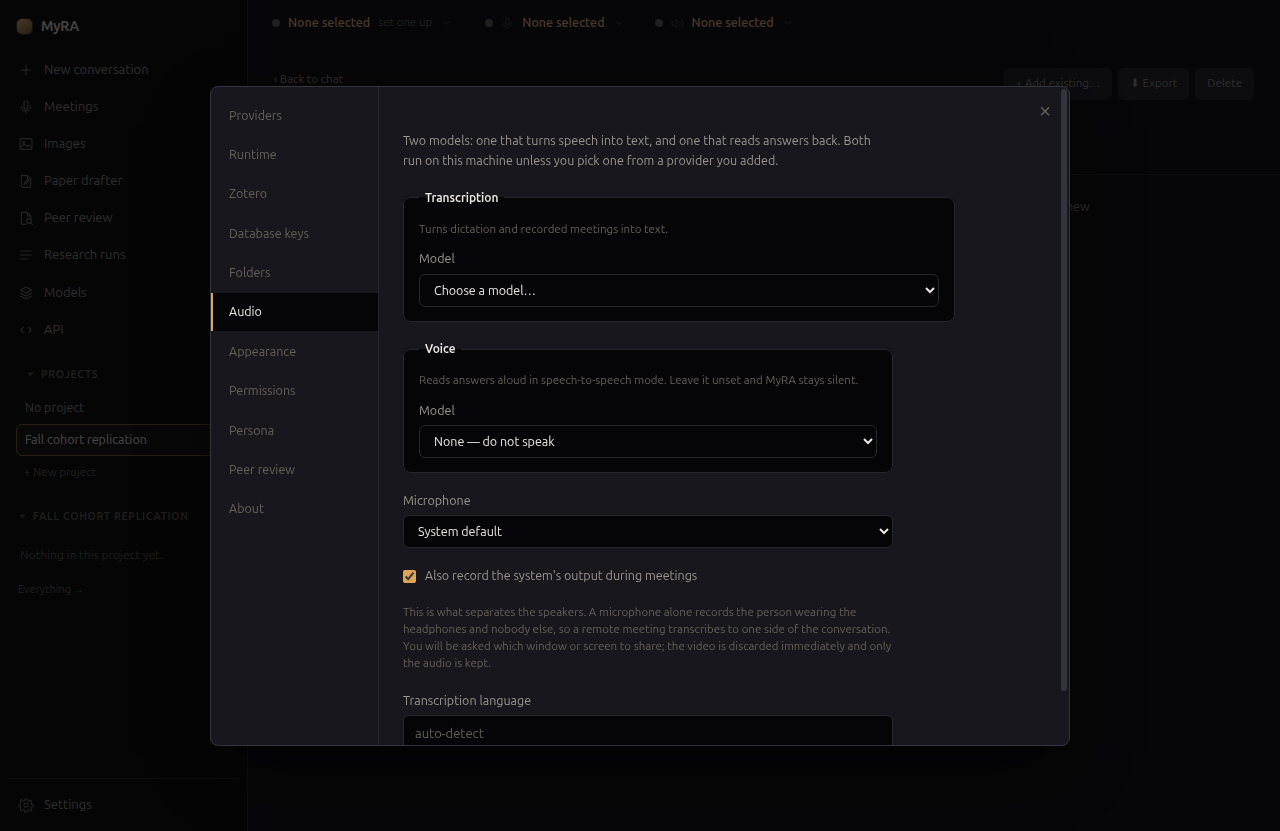
Transcription
The list holds what the bundled runtime can run (Whisper and Moonshine) plus anything a provider you’ve added offers. This one model is used for both dictation — typing by voice, anywhere there’s a text field — and meeting transcription.
Voice
The second model is what reads answers aloud in speech-to-speech mode, the wave button beside the microphone: it listens, sends when you pause, answers out loud, and listens again until you switch it off. Talking over an answer interrupts it. Leave the voice model unset and MyRA stays silent — speech-to-speech mode just isn’t available until you pick one.
Keyboard shortcuts
Both the microphone and the speech-to-speech button can be given a shortcut in Settings → Audio: click the shortcut field, then press the keys you want. Dictation offers a choice of two behaviours — Toggle starts and stops recording on the same key press, and Hold to talk records only while the keys are held down, stopping the moment you release them (or click away from MyRA). Speech-to-speech is a toggle only: it starts an ongoing listen-answer-listen loop rather than a single recording, so there’s nothing for a hold to bound.
Neither shortcut is set by default, and neither works outside the MyRA window. Electron has no reliable way to register a key combination with the desktop on Linux, so rather than a shortcut that works on some desktops and silently does nothing on others, these only ever fire while MyRA has focus.
What leaves this machine
Speech is the same local/hosted choice made twice, once per model. A transcription or voice model from the bundled runtime stays on this machine. One from a provider you’ve added means your recordings, or the text MyRA reads out loud, are sent to that provider — the picker always says which kind of model you’re choosing, and names the model on screen while it’s in use.