Your library
The papers you’ve already collected and decided matter — searchable from inside a conversation, read section by section, with no vector database and nothing leaving this machine.
Zotero
If Zotero is installed, MyRA can search it directly: through Zotero’s own local API when it’s running, or its database file otherwise, so it works whether or not Zotero itself is open. Nothing is ever written back to Zotero.
Outside a project, turning the mode bar to Zotero searches your whole library. Inside a research project, link the collections that project is actually built on from the project’s own page:
Click + Link a collection, pick one from the tree, and its subtree comes with it. Linking isn’t filing — the papers stay in Zotero, MyRA never writes there, and one collection can be linked to any number of projects. Each linked collection shows as a chip carrying its live name from Zotero, a note of how many child collections came with it (“+ N below”), or “— no longer in Zotero” if it’s since been deleted there; unlink one with the × beside it, which changes nothing in Zotero itself. A status line under the chips says how many of the linked papers have a PDF MyRA can actually read — the rest are still searched, by their abstracts alone.
Once linked, the project’s conversations search that union — titles, abstracts, tags, notes, and the indexed text of attached PDFs — instead of your whole library, and can open and read the PDFs themselves, one section at a time, citing the page. A linked (rather than Zotero-managed) PDF file — from ZotMoov, Attanger, or a synced attachments folder — is read too, at exactly the path Zotero’s own database records for it.
Papers you upload
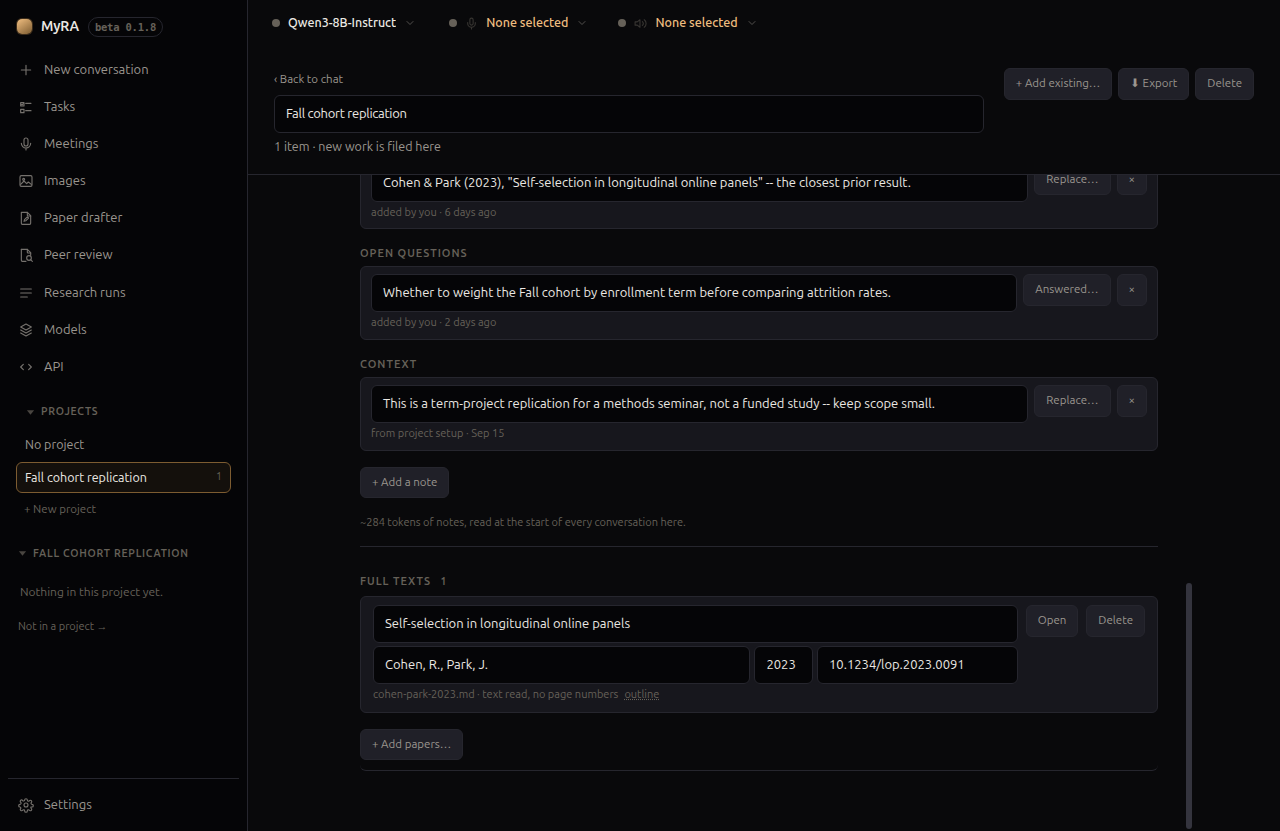
Drop PDFs, Word, or Markdown files onto a project’s page under Full texts, or click + Add papers… for an ordinary file picker instead:
Drop the papers this project is built on here — PDFs, or Word and Markdown files. In this project’s conversations MyRA can then search their full text and read them section by section, citing the page. They stay on this machine.
MyRA guesses a title and DOI from the first few pages — both editable inline, along with authors and year, and nothing is looked up online. Each row shows its original filename and whether the text could be read: a page count when it could, or a note that it looks like a scan with no OCR layer when it couldn’t — still kept and still shown, never silently dropped. Delete asks once more before it acts, because it’s a real delete: an uploaded paper exists only for this project, so removing it removes the file too, not just its place in the list.
How the model uses it
The model doesn’t get a nearest-neighbour lookup — it navigates the way you would: a list of what’s available, a keyword search that points at specific passages, then the section actually worth reading. Every result comes back as literal text with its page number, which is what makes it quotable and checkable — the one thing a citation can’t settle for is “similar to,” which is all a vector search could offer instead.
This is a different question from Research’s Quick and Deep modes, which search the open literature you haven’t already collected — the two are meant to be used together, not as alternatives.